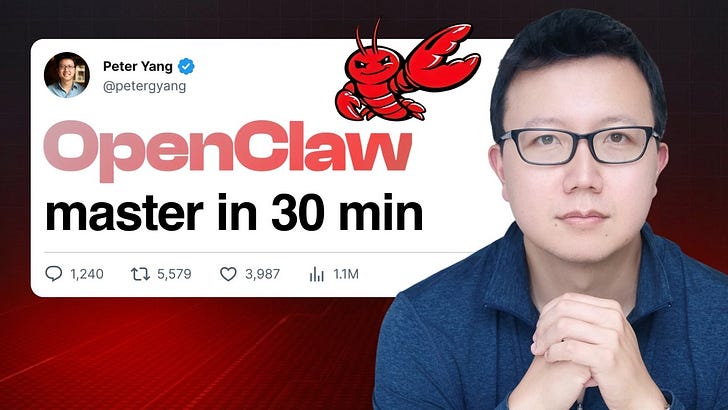
Dear subscribers,Today, I want to show you how to use OpenClaw to manage your calendar, edit your documents, send yourself personalized briefings, and much more.Ever since I set up my bot, I’ve barely touched my other AI apps. It’s just so much easier to text my AI employee to do things while on the go.Watch my tutorial to see me demo 5 use cases, Google Workspace setup, and more.Timestamps:(00:00) Why OpenClaw is my favorite AI bot(00:54) How to set up your bot safely in 5 steps(03:01) Use case 1: Manage Google calendar(05:40) Use case 2: Edit Google Docs and Sheets (08:31) Use case 3: Give your bot a voice(11:15) Use case 4: Get personalized briefings(13:50) Use case 5: Get weekly insight reports(15:48) How to connect to Google Workspace(21:47) How to personalize your bot’s memory and soulWatch now on YouTube or read the written guide.I’m proud to partner with…LinearMy newsletter is called Behind the Craft and few companies exemplify craft like Linear. They’ve built the best platform for teams to work with AI agents. You can:Assign bugs and tickets to coding agentsPull in context from Slack, your support tickets, and your code baseTurn that context into specs and plans automatically without manual workI’m managing my creator business with Linear and you should try it too. Use the link below to get 6 months free to Linear Business now. Try Linear for FreeRecap: How to set up OpenClaw safelyJust my bot Zoe introducing herself to you allLet’s first recap how to set up OpenClaw safely so that you don’t get compromised:Run it on a dedicated computer. I installed my bot on a Mac Mini but any old MacBook will do. Keep your Mac on 24/7 using a free app called Amphetamine.Give it its own credentials. My bot (I call her Zoe) has her own Apple and Gmail ID. Run OpenClaw’s security audit. In terminal, type “clawdbot security audit --deep” and then follow its instructions to make it more secure.Give it read access to your main account and write access to select files. For example, Zoe can read my calendar and edit select Google Docs and Sheets but can’t access my entire Google Drive.Never share your bot with anyone else. Don’t add it to any group chats or websites. Zoe can only talk to me.5 everyday tasks I’ve delegated to my botWhen I talk about OpenClaw, I get questions like:“Why can’t you just vibe code an app for this?”“Is this really better than Claude Code?”Using my bot doesn’t feel like using an app. It feels like onboarding an AI employee that I can train to do whatever I want her to do.Here are 5 tasks that I’ve delegated to Zoe:1. Managing calendar invitesZoe has view access to my calendar, so I can simply text her to schedule things for me.For example, I recently texted Zoe to send me a calendar invite for a family trip to SF. It’s way easier than navigating the Google Calendar app:2. Editing Google documentsZoe can edit select Google Docs and Sheets that I’ve shared with her.For example, I asked Zoe to draft a plan for my weekend visit to the city in a Google Doc. She included Caltrain schedules and lunch options at the Ferry Building:Zoe can also edit specific Google Sheet cells and Google slides just through texting. I demo this in my video tutorial.3. Reply via voiceZoe is more fun to talk to when she can reply with voice. To set this up, just ask: I want to let you reply to me with voice. What are some options to do this?She found a few voices in Microsoft’s Edge TTS service, which is free to use. I ended up giving her a soothing British voice to tell me corny dad jokes:Need to work on her comedy skills4. Daily morning briefsOne of Zoe’s most useful capabilities is that she can schedule recurring tasks that run at a set date and time (also known as cron jobs).Every morning at 6:30 AM, Zoe sends me a personalized briefing with weather, calendar events, priority tasks, trending AI tweets, and a personalized thought to start my day. She pulls from this info from Google Calendar, Linear, X, and her memory. Her personalized thought is my favorite. Here’s what Zoe shared with me recently:5. Weekly insight reportZoe can also send me emails from her dedicated Gmail account. Every Friday, she sends me an email with stats for my latest YouTube videos and Substack articles:For YouTube, she uses yt-dlp (free) to pull public video data for me and similar channels.For Substack, there’s no public API access. So I added Zoe as an admin to my Substack and she just uses the browser to pull stats for me!Here’s what the report looks like:To try this, just ask your bot:I want you to send me a weekly email that includes (fill this in).You probably see where I’m going with this. Zoe (OpenClaw) is the first AI product that I’ve used where it feels like I can just ask her to do anything.That’s a remarkable feeling. The ultimate test is if Zoe can register my daughter for the most in-demand summer camps before 200 other parents do so :)Setting up your bot with Google WorkspaceGoogle Cloud console is really painful and confusing to useIf you’re like me, you probably run your life using Google Workspace. I’ve been waiting for Google to launch an AI that can send me emails, manage my calendar, edit my Google Docs, and more for years.It turns out that you can set up your OpenClaw bot to do all this in 10 minutes. Let me walk you through exactly how in 3 steps: Read more
Master OpenClaw in 30 Minutes (Safe Setup + 5 Real Use Cases + Memory)
By Creator Economy
·
·
5 min read
·
537 views
Read in:
aa
ace
af
ak
alz
am
ar
as
awa
ay
az
ba
ban
be
bew
+191 more
bg
bho
bik
bm
bn
brx
bs
bug
ca
ceb
cgg
ckb
co
crh
cs
cv
cy
da
de
din
doi
dv
dyu
dz
ee
el
en
eo
es
et
eu
fa
ff
fi
fj
fo
fr
fur
fy
ga
gd
gl
gom
gn
gu
ha
haw
he
hi
hil
hne
hmn
hr
hrx
ht
hu
hy
id
ig
ilo
is
it
ja
jam
jv
ka
kab
kbp
kg
kha
kk
kl
km
kn
ko
kri
ku
ktu
ky
la
lb
lg
li
lij
ln
lo
lmo
lt
ltg
lua
luo
lus
lv
mai
mak
mg
mi
min
mk
ml
mn
mni-mtei
mos
mr
ms
mt
my
nd
ne
nl
nn
no
nr
nso
nus
ny
oc
om
or
pa
pag
pam
pap
pl
ps
pt
pt-br
qu
rn
ro
ru
rw
sa
sah
sat
sc
scn
sg
si
sk
sl
sm
sn
so
sq
sr
ss
st
su
sus
sv
sw
szl
ta
tcy
te
tg
th
ti
tiv
tk
tl
tn
to
tpi
tr
trp
ts
tt
tum
ty
udm
ug
uk
ur
uz
ve
vec
vi
war
wo
xh
yi
yo
yua
yue
zap
zh
zh-hk
zh-tw
zu