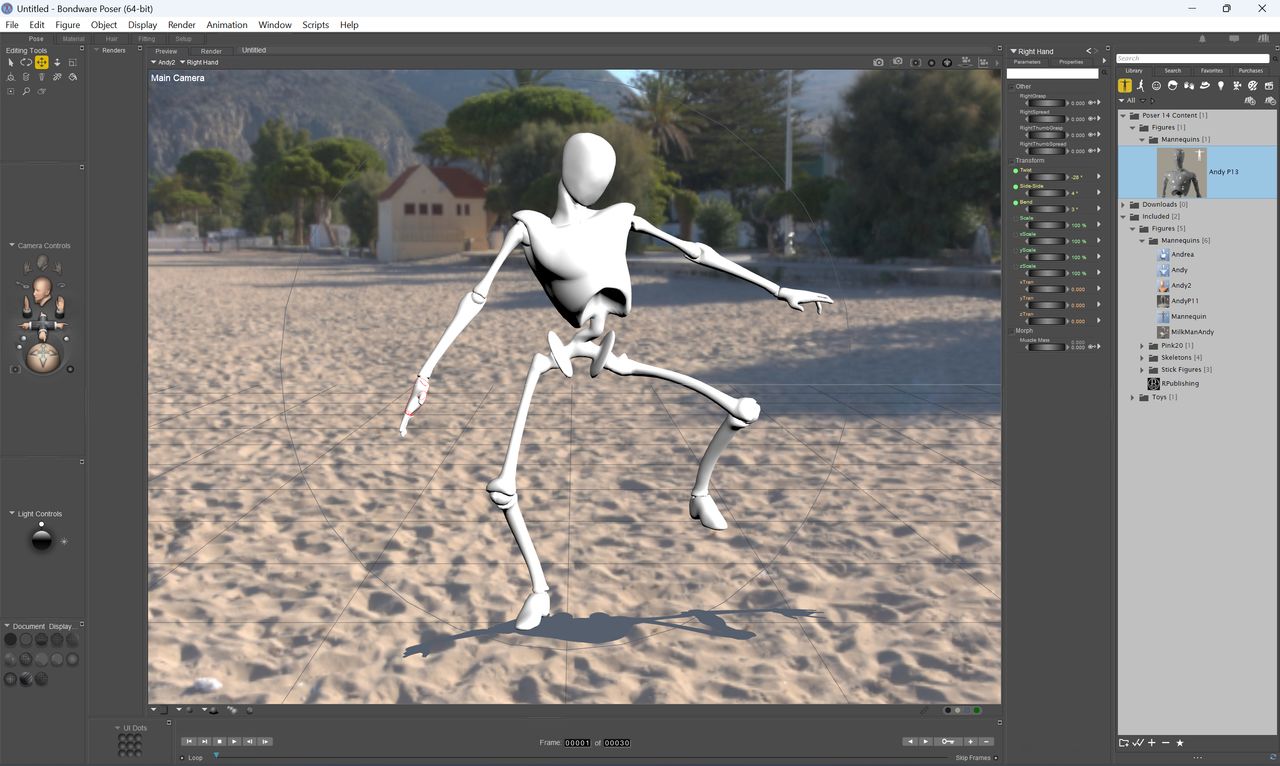
I Storyboarded a Dance Scene in Poser 14 and Couldn’t Believe How Easy It Was
As a digital artist, I always found storyboarding dance scenes intimidating. But Poser 14 changed everything for me. Its intuitive tools made the process smooth and enjoyable. I’ll share how I used Poser 14 for dance scene storyboarding and why it’s a game-changer for creators.
Whether you’re animating a music video or a film sequence, Poser 14 simplifies complex motions. You don’t need advanced skills to get started. The software handles the heavy lifting, letting you focus on creativity.
Why Poser 14 is Perfect for Dance Storyboarding
Poser 14 offers a user-friendly interface that’s ideal for beginners and pros. Its built-in figure models and motion libraries are incredibly versatile. You can easily pose characters and capture dynamic movements.
For dance sequences, timing and flow are critical. Poser 14’s timeline and keyframing tools make it simple to choreograph steps. I adjusted gestures and transitions with just a few clicks.
Key Features That Made the Difference
Several Poser 14 features stood out during my storyboarding. The real-time preview allowed me to see adjustments instantly. This saved me hours of rendering and guesswork.
- Pre-loaded dance poses and animations
- Easy drag-and-drop functionality for scenes
- Robostic lighting and camera angle controls
These elements combined to create a seamless workflow. I could experiment without fear of mistakes.
Step-by-Step: How I Created My Dance Storyboard
First, I selected a human figure from Poser 14’s library. The software offers diverse models suited for various dance styles. I chose a ballet pose to start.
Next, I used the animation timeline to set keyframes. Moving the figure limb by limb felt natural. Poser 14’s inverse kinematics helped maintain realistic proportions.
Finally, I added camera movements to enhance the narrative. Panning and zooming emphasized the dance’s emotion. The entire process took less time than I expected.
Overcoming Common Challenges
Many artists struggle with fluid motion in storyboards. Poser 14’s motion graph editor solved this for me. I fine-tuned the speed and easing of each move.
Another hurdle was rendering quality. But Poser 14’s built-in renders produced crisp, clear frames. I exported the storyboard as images for my team review.
Why This Matters for Creators Like You
Efficient tools like Poser 14 empower artists to focus on storytelling. Just as Hayley Williams built a brand with practical steps, you can achieve pro results with the right software. It’s about working smarter, not harder.
Similarly, innovations like Aether OS show how technology simplifies complex tasks. Poser 14 fits into this trend of accessible creativity.
Conclusion: Try It Yourself with Seemless
Storyboarding a dance scene in Poser 14 was surprisingly straightforward. Its features remove technical barriers, letting artistry shine. I encourage you to experiment with it for your projects.
For more insights on creative tools and strategies, explore resources at Seemless. Start your journey today and see how easy digital creation can be.
